Most businesses walk into a CRM implementation already thinking about what they’ll need to build. They ask about custom modules, API integrations, and workflow automation before they’ve run a single real deal through the system. It’s a costly instinct — and the market quietly encourages it. If you’re working with a CRM software development company, the honest conversation rarely starts with “let’s see what the platform already does.” It starts with scope. And scope, in this industry, almost always skews toward customization. That sequencing problem is exactly what this post addresses.
The Market Has a Customization Bias — And It’s Not Accidental
Customization generates higher implementation fees. It creates longer contracts, deepens vendor dependency, and keeps businesses returning for every incremental change. These are structural incentives — not conspiracies — but they shape the advice businesses receive before they’ve signed anything.
The result is predictable. Vendor documentation positions customization as the scalable, enterprise-grade path. Partner content reinforces it. Comparison guides treat it as the logical endpoint of CRM maturity. Rarely does any of this ask whether the business is ready for what customization actually demands.
This creates a damaging misconception: sophistication equals complexity. Businesses begin to believe that investing in a custom build signals seriousness about CRM adoption. In reality, it often signals they skipped a step.
The real question isn’t whether to customize. It’s whether customization is being recommended before configuration has been genuinely, thoroughly tried.
What Configuration Actually Covers (More Than Most Businesses Realize)
The Underestimated Range of Native CRM Capability
Configuration is treated, almost universally, as the lightweight option. Rename a field. Adjust a pipeline stage. Set up a basic email trigger. This perception is outdated and costs businesses real money.
Modern CRM platforms — Salesforce, HubSpot, Zoho, and others — offer native configuration that handles multi-stage sales workflows, role-based access permissions, conditional logic in lead capture forms, territory and quota management, automated lead scoring, and multi-channel communication sequencing. None of that requires a single line of code. None of it requires engaging custom CRM software developers in India, at least not yet.
Most businesses that escalate to customization have not come close to exhausting configuration. They’ve barely stress-tested it.
Why Configuration Gets Skipped Too Quickly
The deeper problem isn’t platform limitation — it’s internal process ambiguity. Configuration requires clarity. To set up a CRM pipeline correctly, a business needs to know its actual sales stages, not an idealized version. It needs defined lead qualification criteria, documented handoff points between teams, and agreed-upon data fields that reflect how deals actually move.
When that internal clarity doesn’t exist — and it often doesn’t — configuration feels like it isn’t working. Adoption drops. Reports look wrong. Teams complain the system doesn’t match how they operate. The natural conclusion is that the platform is insufficient.
The actual gap is internal. The process hasn’t been documented well enough to configure against. Businesses then escalate to customization, hoping a custom build will force clarity. It doesn’t. It makes the ambiguity more expensive and significantly harder to undo.
The Sequencing Argument — Why Configuration Must Come First
Configuration as a Diagnostic Tool, Not Just a Setup Step
Configuration is not a consolation prize for businesses that can’t afford customization. It is the most cost-effective diagnostic tool in a CRM implementation. When teams configure a system and run real deals, real service tickets, or real marketing workflows through it, the actual friction points surface — not the assumed ones.
This distinction matters. Customization scoped before live usage is built on assumptions. Customization scoped after a configuration phase is built on documented, validated evidence. Any experienced CRM software development company will confirm the second approach produces builds that are leaner, more stable, and cheaper to maintain over time.
The gaps that genuinely require custom development become obvious within one full operational cycle. The gaps that feel urgent in a pre-implementation meeting often disappear once the configured system is running.
What “Configuration-First” Looks Like in Practice
The methodology is straightforward, even if it’s undersold:
- Phase 1: Map existing processes — honestly, including the rough edges — and configure the CRM to reflect them as closely as native tools allow.
- Phase 2: Deploy the configured system to real users for a defined period. Sixty to ninety days provides enough data to be meaningful.
- Phase 3: Identify the workflow gaps that configuration genuinely cannot close — the ones that surface repeatedly, block real work, and resist adjustment.
- Phase 4: Scope customization only for those specific, validated gaps.
This approach doesn’t eliminate customization. It makes it surgical. Businesses that follow this sequence spend less on custom development and end up with systems that match how their teams actually work.
When Customization Is Genuinely the Right Call
The argument here is about sequence, not avoidance. Clear, legitimate triggers for customization exist — and when they do, capable custom CRM software developers in India deliver real, compounding value.
Those triggers include:
- The business operates a workflow with no analog in the platform’s native logic — an industry-specific process, a proprietary quoting model, or a compliance requirement the platform wasn’t built to handle.
- Configuration has been fully deployed and a specific, recurring friction point is documented across multiple users and cycles — not anticipated in a planning meeting.
- Integration with external systems requires custom API development that native connectors cannot support.
- The business has stable internal resources, or a reliable implementation partner, to manage custom code through platform updates.
The readiness dimension matters as much as the technical one. Customization hard-codes processes. A business still refining its sales methodology, restructuring teams, or shifting its product offering is not ready to hard-code anything. Customization in that state doesn’t accelerate growth — it constrains it.
The filter that applies every time: not “could we customize this?” but “have we earned the right to customize this yet?”
How to Audit Your CRM Decision Before It’s Too Late
Before escalating to a customization engagement — or assuming configuration is sufficient — answer these questions directly:
- Have we fully documented the process we’re trying to support in this CRM, including exceptions and edge cases?
- Have we run native configuration through at least one complete sales or service cycle with real users?
- Are we customizing to solve a problem we’ve experienced in production, or one we’re anticipating from a whiteboard?
- Do we have the internal technical resources, or a committed external partner, to maintain custom code as the platform evolves?
A CRM implementation partner who leads with these questions — rather than moving straight to scoping a custom build — is operating in the client’s interest. That approach is rarer than it should be.
Partner With a CRM Team That Gets the Sequence Right
Most businesses don’t fail at CRM because they chose the wrong platform. They fail because they customized before they were ready. The smarter path — configure first, validate under real conditions, customize only where the data demands it — requires a partner willing to slow down the sales conversation in favor of the right outcome. Arobit’s team of custom CRM software developers in India brings exactly that discipline to every engagement. As a results-driven CRM software development company, Arobit builds systems that fit how businesses actually operate — not how they assumed they would before go-live.
Frequently Asked Questions
- What is the difference between CRM configuration and CRM customization?
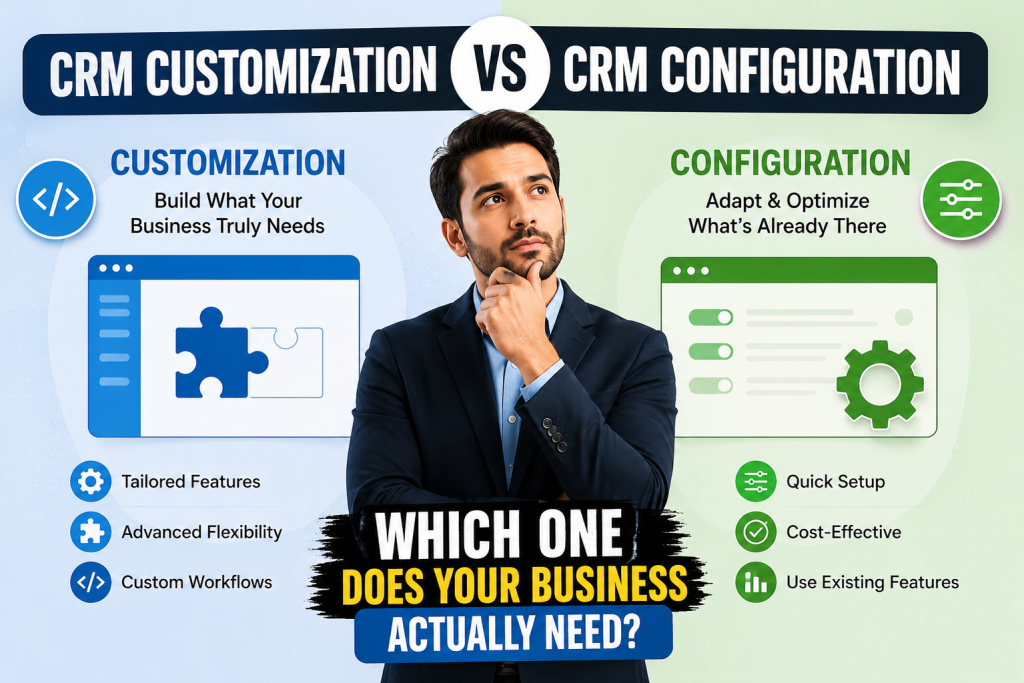
CRM configuration uses a platform’s built in tools, like tweaks to fields, setting pipeline stages , automation rules , and permissions, usually no code. CRM customization instead is about building fresh functionality that goes past what the platform already offers, using custom code, API integrations , or purpose built modules. Configuration typically rolls out quicker and is simpler to change later. Customization can be much more capable, but it also tends to cost more, takes longer timelines, and brings on continuing upkeep duties.
- Can a small business ever justify CRM customization?
Yes, but the trigger must be specific and evidence-based. If a small business has run a fully configured CRM through real operations and a documented, recurring workflow gap cannot be closed through native tools, customization is justified. Size is not the deciding factor — process stability and validated need are. Small businesses that customize early typically hard-code immature processes and spend more correcting them later.
- How long should a business use a configured CRM before evaluating customization?
A minimum of 60 to 90 days of live, real-user operation across a full sales or service cycle is the practical baseline. That window generates enough data to distinguish genuine platform limitations from adoption gaps, process ambiguity, or configuration errors. Decisions made before that window closes are almost always built on assumptions rather than evidence.
- What are the biggest risks of customizing a CRM too early?
The primary risk is locking in processes that haven’t been validated under real conditions. Early customization increases implementation cost, extends deployment timelines, and creates technical debt that compounds with every platform update. Teams that customize before configuring properly often maintain a system built around how they thought they’d work — not how they actually do.